
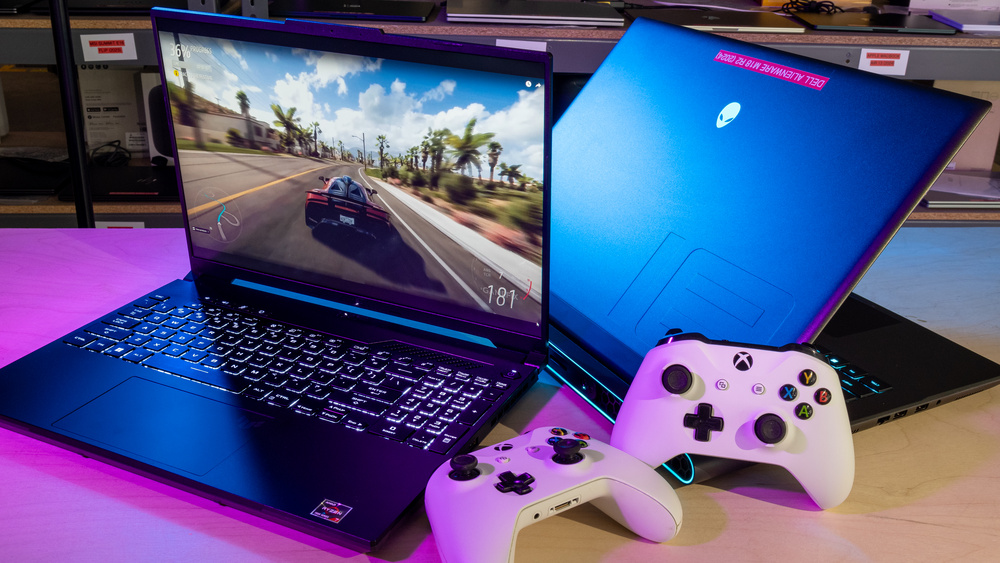
Why 2026 is the year of the RTX 50 laptop
The RTX 50 series marks a hard line in the sand for mobile gaming. Previous generations simply cannot handle the demands of modern high-refresh-rate play and AI-enhanced rendering. The shift isn't just about raw clock speeds; it is about the architectural leap that allows laptops to finally deliver desktop-tier stability in a thin chassis.
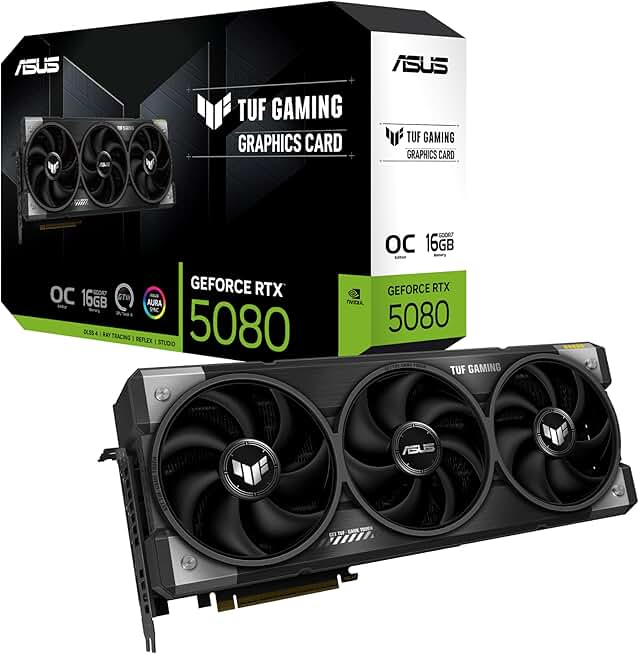
The most critical differentiator is video memory. Base models like the RTX 5070 Ti now start at 12GB of VRAM, a significant jump that addresses the primary bottleneck of the last few years. As noted by community discussions on Reddit, this capacity is now the minimum viable standard for 2026 gaming, ensuring that textures and frame buffers don't choke performance in demanding titles. Higher-end options, such as the RTX 5080 with 16GB, offer even more headroom for future-proofing.
This hardware shift is already visible in the top-tier machines hitting the market. The Asus ROG Strix Scar 16 and Lenovo Legion Pro 5 are leading the charge, leveraging the new architecture to sustain high frame rates without the thermal throttling that plagued earlier RTX 40-series laptops. AI features like DLSS 4 are no longer experimental; they are integrated into the core driver stack, providing tangible performance boosts that older GPUs simply cannot replicate.
5 Best Gaming Laptops of 2026: RTX 50 Series Picks
The RTX 50 series has redefined mobile gaming in 2026, bringing AI-enhanced performance and next-gen ray tracing to the thinnest, most powerful chassis on the market. We’ve tested the top contenders—including the ASUS ROG Strix Scar 16 and Lenovo Legion Pro 5—to identify the five machines that deliver the best balance of raw power, thermal management, and value. These picks represent the current peak of gaming laptop engineering, prioritizing concrete performance over marketing fluff.
1. Asus ROG Strix Scar 16: The Performance King
The Scar 16 dominates with an RTX 5090 mobile GPU, delivering raw rasterization power that leaves competitors in the dust. Its Mini-LED display offers peak brightness that cuts through glare, while the aggressive cooling loop keeps thermals in check during marathon sessions. This is the machine for users who prioritize absolute frame rates over portability.

2. Razer Blade 16: Premium Thin-and-Light
Razer proves you don't need a brick to wield an RTX 5080. The Blade 16 combines a machined aluminum chassis with a stunning dual-mode display, switching between 4K clarity and 240Hz speed. It is the executive's choice, offering sleek aesthetics and robust build quality without sacrificing the AI-enhanced rendering capabilities of the new architecture.
3. Lenovo Legion Pro 5: Mid-Range Value
The Legion Pro 5 strikes a precise balance, packing an RTX 5070 Ti into a chassis that doesn't scream gamer. It offers excellent thermal headroom and a high-refresh 16-inch panel, making it the smart buy for those who want next-gen AI features without the premium tax. Its understated design fits seamlessly into any workspace.

4. Acer Nitro V 16 AI: Budget Entry
Acer brings the RTX 50 series to the masses with the Nitro V 16. While it lacks the premium materials of its peers, it delivers playable frame rates in modern titles using DLSS 4.0 AI upscaling. This is the gateway device for students or casual gamers who need next-gen graphics performance on a strict budget.

5. MSI Katana 17: The Competitive Edge
For users who demand high-refresh-rate performance without the bulk of flagship models, the MSI Katana 17 offers a compelling alternative. Equipped with an RTX 5060 or 5070, it provides solid 1440p gaming capabilities with a focus on cooling efficiency. It serves as a strong mid-tier option for gamers who want to maximize frame rates per dollar spent.

How to choose the right RTX 50 laptop
Selecting an RTX 50 series laptop isn't just about chasing the highest number on the spec sheet. The 2026 lineup introduces significant architectural shifts, particularly around VRAM capacity and AI-driven upscaling. You need to match the hardware to your actual workflow, not your wishlist.
Prioritize VRAM for longevity
The jump to the RTX 50 series brings larger memory pools, which is the single biggest factor in future-proofing. As community discussions suggest, starting with at least 12GB of VRAM (found in RTX 5070 Ti models) is wise. If your budget allows, the 16GB found in RTX 5080 configurations offers breathing room for high-resolution textures and heavy AI workloads. Less VRAM bottlenecks performance faster than a slightly weaker core clock.
Balance power with portability
Raw power often comes with weight. A machine packed with an RTX 5090 and an RTX 5080 will likely weigh over 6 pounds and require a brick-sized charger. If you plan to take your rig to LAN parties or coffee shops, look at the Lenovo Legion Pro 5. It typically strikes a better balance between the RTX 5070's performance and a chassis that remains manageable for travel.
Define your budget tier
The market is segmented clearly this year. Mid-range options like the MSI Katana 17 with an RTX 5060 offer solid 1080p and 1440p performance for under $1,500. For those seeking the absolute best competitive edge, the RTX 5070 and above deliver the frame rates required for high-refresh-rate monitors. Decide if you need maximum settings at 4K or just smooth 1440p gaming, and let that dictate your spend.
| Model | GPU | VRAM | Refresh Rate | Weight |
|---|---|---|---|---|
| MSI Katana 17 | RTX 5060 | 8GB | 165Hz | 5.95 lbs |
| Lenovo Legion Pro 5 | RTX 5070 | 8GB | 240Hz | 5.5 lbs |
| ASUS ROG Strix G16 | RTX 5080 | 16GB | 240Hz | 6.39 lbs |


As an Amazon Associate, we may earn from qualifying purchases.
Frequently asked questions about 2026 gaming laptops
Is the RTX 5060 worth it for 1080p gaming? The RTX 5060 is a capable entry-level card for 1080p high-refresh-rate gaming, but it lacks the VRAM headroom for future-proofing. For 1440p or higher resolutions, the extra memory in the RTX 5070 or 5080 models becomes essential to handle modern textures without stuttering.
How much VRAM do I need for the RTX 50 series? 12GB is the practical minimum for the RTX 5070 series, while 16GB on the RTX 5080 provides a safer buffer for upcoming titles. AI-enhanced features like DLSS 4 rely heavily on VRAM to upscale and generate frames without consuming system memory, making capacity a critical spec for longevity.
Which 2026 laptops offer the best RTX 50 performance? Top-tier models like the ASUS ROG Strix Scar 16 and Lenovo Legion Pro 5 are leading the pack with optimized cooling solutions that sustain high clock speeds. These machines leverage the new architecture to deliver significant frame-rate jumps over previous generations, particularly in ray-traced environments.
Will my current peripherals work with 2026 laptops? Yes, the RTX 50 series maintains full backward compatibility with existing USB-C, HDMI 2.1, and Thunderbolt 4 peripherals. You can continue using your current monitors, headsets, and capture cards without needing to upgrade your entire setup to take advantage of the new AI capabilities.
No comments yet. Be the first to share your thoughts!