
Top gaming monitor picks for 2026
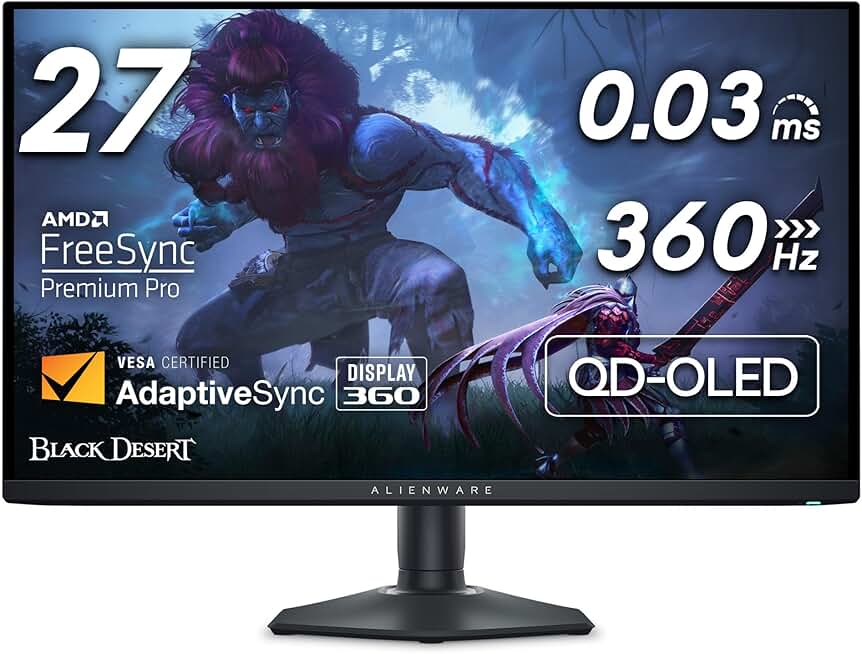
We tested dozens of displays to find the gaming monitors that balance speed, color accuracy, and price. The ASUS ROG Swift OLED PG27UCDM leads our list as the best overall gaming monitor, offering a QD-OLED panel that delivers perfect blacks and 240Hz refresh rates for competitive play. If you prefer a larger screen, the Alienware AW2725DF provides a similar OLED experience with a 27-inch form factor that fits most desks without dominating the space.
For those on a tighter budget, the MSI MPG 321URX offers a compelling 4K QD-OLED alternative, while the ASUS TUF 27" series remains a solid choice for standard IPS users who prioritize durability over peak contrast. Each pick below targets a specific use case, whether you are chasing high frame rates in shooters or immersive visuals in single-player campaigns.


As an Amazon Associate, we may earn from qualifying purchases.
OLED vs Mini-LED performance comparison
Choosing between OLED and Mini-LED gaming monitors comes down to how you prioritize contrast against raw brightness. OLED panels use self-emissive pixels that can turn off completely, delivering infinite contrast and perfect blacks. Mini-LED monitors use thousands of tiny LEDs behind an LCD layer to create local dimming zones, which brightens highlights but can sometimes leave faint halos around bright objects on dark backgrounds.
For competitive gamers, response time is often the deciding factor. OLED panels typically offer sub-1ms response times with no motion blur, giving them a slight edge in fast-paced shooters. Mini-LED panels have improved significantly, with many high-end models now matching OLED speeds, but lower-tier Mini-LEDs may still show some ghosting during rapid scene changes.
Brightness capabilities differ based on content. Mini-LED monitors can achieve much higher peak brightness levels (often 1000 nits or more) in HDR scenes, making them better for bright, sunlit rooms or HDR games with intense explosions. OLED panels are generally limited to around 800-1000 nits peak brightness to prevent burn-in, though they maintain consistent brightness across the screen.
The table below compares the typical specifications of high-end gaming monitors in both categories.
| Feature | OLED | Mini-LED |
|---|---|---|
| Contrast | Infinite (perfect blacks) | High (local dimming zones) |
| Peak Brightness | ~800-1000 nits | 1000-1600+ nits |
| Response Time | <1ms (GtG) | 1-5ms (GtG) |
| HDR Impact | Deep blacks, moderate highlights | Bright highlights, slight blooming |
| Burn-in Risk | Moderate (with static UIs) | None |
Choosing the right resolution and refresh rate
Resolution and refresh rate are the two levers that define your gaming experience, but they pull in opposite directions. Higher resolution sharpens visuals but demands more GPU power, while higher refresh rates smooth motion but often require downgrading resolution to maintain performance. Your choice depends on whether you prioritize visual fidelity or competitive reaction time.
1440p at 240Hz or 360Hz
1440p (QHD) remains the sweet spot for most gamers in 2026. It offers a significant visual upgrade over 1080p without the steep GPU tax of 4K. This resolution pairs well with high refresh rates, allowing you to run competitive titles at 240Hz or even 360Hz on mid-range to high-end graphics cards.
The Alienware AW2725DF is a prime example of this balance. It features a QHD panel with a 360Hz refresh rate, near-flawless color accuracy, and a wide color gamut. For gamers who want to play both competitive shooters and single-player campaigns, 1440p provides the flexibility to switch between high-fidelity visuals and buttery-smooth gameplay.
4K at 144Hz or higher
4K is ideal for immersive single-player games, simulation, and media consumption. The increased pixel density makes textures and text incredibly sharp, but it requires a top-tier GPU to drive high frame rates. If you are playing at 4K, a refresh rate of 144Hz is often sufficient for most games, though 240Hz panels are emerging for those who refuse to compromise.
OLED panels at 4K are becoming more accessible, offering perfect blacks and infinite contrast. However, the combination of 4K resolution and high refresh rate is demanding. Ensure your GPU can maintain consistent frame rates before committing to this setup, as stuttering is more noticeable at higher resolutions.
Ultrawide (21:9 or 32:9)
Ultrawide monitors provide a wider field of view, which can offer a competitive advantage in racing and flight simulators. However, they are not universally supported by all games, and many titles do not optimize their UI for the extra horizontal space. Additionally, ultrawide resolutions often split pixels across two vertical columns, which can make text slightly less sharp than standard 16:9 panels.
If you choose an ultrawide, consider the aspect ratio carefully. 21:9 is the standard for most games, while 32:9 offers a dual-monitor experience but suffers from severe bezel gaps and limited game support. For most gamers, a high-quality 16:9 1440p or 4K monitor is a more versatile choice.
Avoiding burn-in and panel wear issues
The most common hesitation when buying an OLED gaming monitor is burn-in—the permanent retention of static images on the screen. In 2026, this is no longer a dealbreaker, but it is a factor that requires understanding. Modern OLED panels have implemented several hardware and software mitigations to drastically reduce the risk, making them viable for daily use, including gaming and productivity.
Manufacturers now include pixel shifting, which subtly moves the image by a few pixels every few minutes to prevent any single pixel from being static for too long. Additionally, most monitors feature automatic brightness limitation (ABL) that dims the screen when large areas are displaying bright, static content. Some brands also offer built-in panel refresh cycles that run during standby or when the monitor is off, effectively "cleaning" the panel over time.
Mini-LED monitors do not suffer from burn-in because they use an LCD backlight array rather than self-emissive organic pixels. If you plan to use your monitor for 12+ hours a day with static UI elements like taskbars, dashboards, or HUDs, Mini-LED offers a more worry-free longevity profile. However, for most gamers who play varied titles and take breaks, the risk of burn-in on a modern OLED is minimal.
Note: Many OLED manufacturers now offer a 3-year warranty that covers burn-in, which is a significant improvement over earlier generations. Always check the specific warranty terms before purchasing.
If you are concerned about panel wear, look for monitors with explicit "pixel shift" and "panel refresh" features in their specifications. These features are standard on most 2026 models from LG, Samsung, and ASUS, ensuring your investment remains protected.
Frequently asked questions about gaming monitors
Is OLED or Mini-LED better for gaming? OLED offers superior contrast, deeper blacks, and faster pixel response times, making it ideal for competitive shooters and cinematic experiences. Mini-LED provides higher peak brightness and avoids burn-in risks, making it a safer choice for office work or static UI usage.
Will OLED burn in from static HUDs? Modern OLED panels include pixel shifting, logo dimming, and thermal management to mitigate burn-in. While the risk is lower than in early generations, prolonged exposure to static elements (like a health bar) can still cause image retention over years of heavy use.
Do I need a 240Hz+ refresh rate? For competitive esports titles like Valorant or Counter-Strike, 240Hz or higher provides a tangible advantage in motion clarity. For single-player RPGs or strategy games, 144Hz is sufficient and often paired with better resolution or HDR performance.
Is a 27-inch or 32-inch monitor better? A 27-inch 1440p monitor offers the best pixel density for most desktop setups. A 32-inch monitor is preferable for immersive AAA titles or console gaming, but ensure your GPU can drive the resolution at high frame rates.
Can I use a gaming monitor for work? Yes, but Mini-LED or IPS panels are often better for productivity due to higher brightness and better text clarity. OLEDs can cause eye strain during long text-editing sessions due to PWM flicker on some models, though many 2026 models now include DC dimming.
No comments yet. Be the first to share your thoughts!